

You are using an out of date browser. It may not display this or other websites correctly.
You should upgrade or use an alternative browser.
You should upgrade or use an alternative browser.
Say goodbye to this old forum software
- Thread starter DAA
- Start date



limbhanger10
Well-known member
I want to thank ALL that made this work!!!


Been playing around w/some pics this morning and copying from my pics, some will post directly from my files and others won't. Not sure what maximum size is, but trying to post this picture fails direct copying (because original size is 4000 x 3000 px). I had not found that some pics in my files are small enough to be accepted, so thanks for the tip, reb; from now on will try it first then resize if necessary. 1024x768 is as large as I have attempted successfully.**For posting photos, i was told that instead of using the attach photo function, click on your photo you want and use the copy feature then paste it here
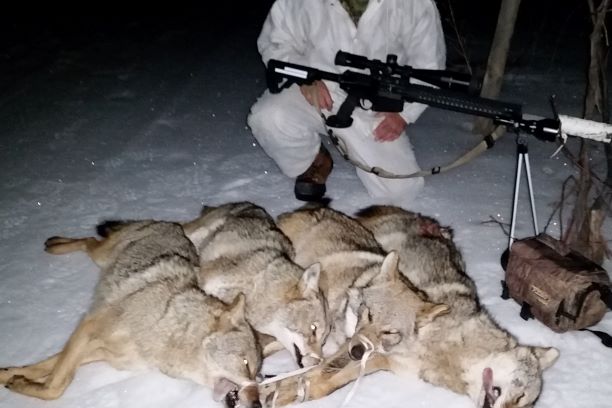
I did resize this picture to 1836x2256 and it was accepted.
Regards,
hm
Last edited:
I'm still trying to find where to set viewing preferences. I like to go straight to last unread post, but cannot find anyplace to change from first post in a thread. Easy to go to last post, as well, but then you may miss a few previously unread posts.
Agree, rattlesnake is good eating; tastes much like frog legs to me.
Regards,
hm
Agree, rattlesnake is good eating; tastes much like frog legs to me.
Regards,
hm
I'm still trying to find where to set viewing preferences. I like to go straight to last unread post, but cannot find anyplace to change from first post in a thread. Easy to go to last post, as well, but then you may miss a few previously unread posts.
Regards,
hm
Not exactly what you are looking for, but if you click the "What's new" button at the top you'll get all the most recent posts. I would imagine what you want to do is possible, once we figure it out.
- DAA

Reb, I tried to copy and paste and it still says too big. Still trying
If you click the lightning bolt on the top right next to the search icon it will take you to latest post
Reb, I tried to copy and paste and it still says too big. Still trying
I just changed the board settings to allow images up to 2MB but not more than 1024x768 pixels. I'm pretty sure we'll have to change that again as we figure this all out but this for now should help with most images.
- DAA
I should add, there is a setting somewhere, that will allow uploading any size image, and the board will automatically resize it to something we can live with for long term storage and won't blow up peoples screens either. Just have not had any time to dig that deep yet. But I think that's the eventual solution.
- DAA
- DAA


I'll look when I get home
Also anyone who is logged in can always send me a PM

baitpile
Active member
Yes sir, PM worked and it looks like you got me hooked up. Many thanks for the hard work Stu!!!!Also anyone who is logged in can always send me a PM